Omni
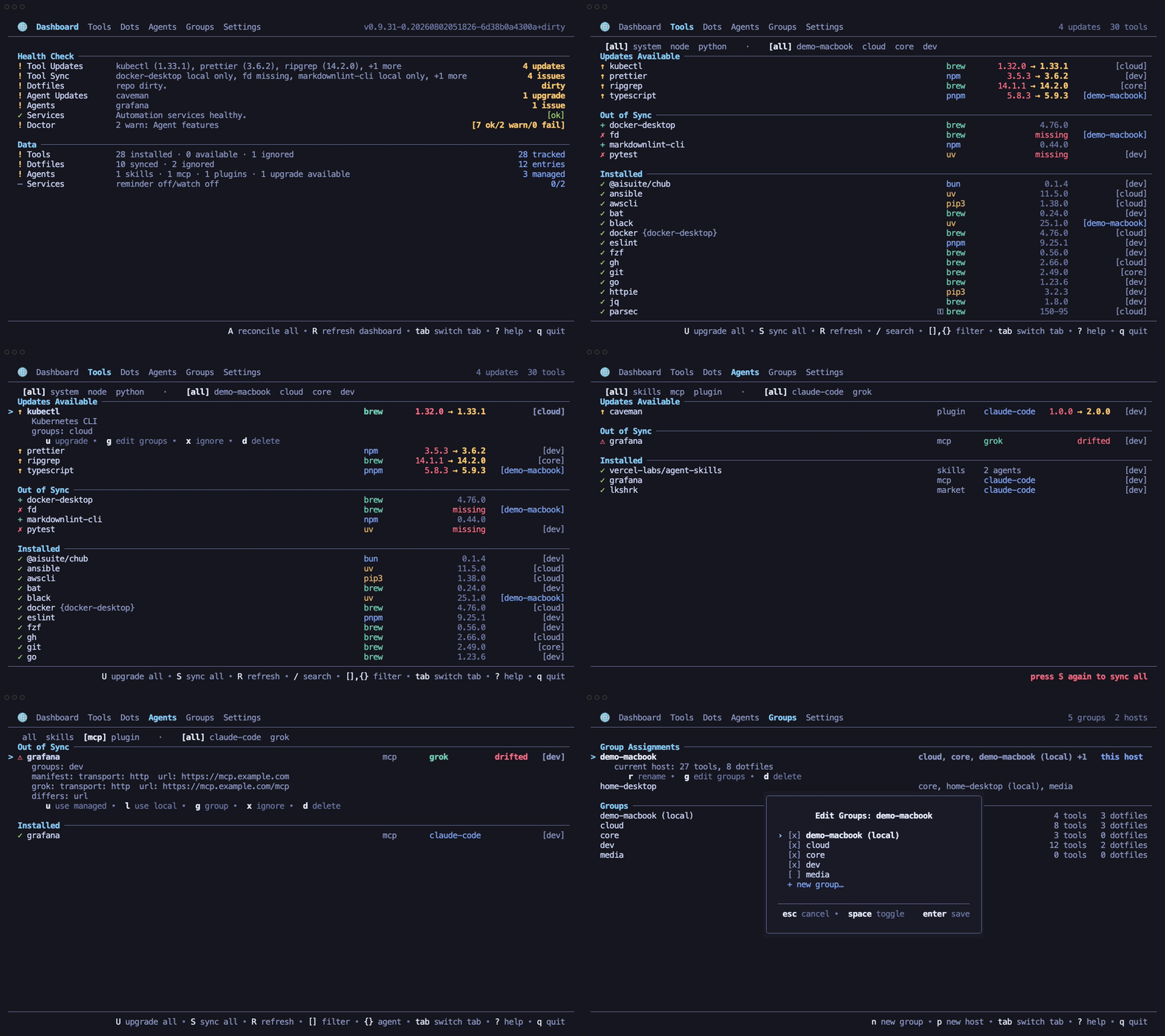
Omni keeps tools and dotfiles portable across machines through its JSON config. AI-agent packages, skills, MCP servers, plugins, and marketplaces live in Microsoft APM; Omni provides shared CLI/TUI workflows over them.
It manages logical tools such as ripgrep, typescript, and black, then
installs them with the right package manager for the current machine. It also
syncs dotfiles through a Git-backed GNU Stow repo.
Early-stage software
Omni is still changing quickly. Review generated plans and dry-run output before using it on important machines.
What Omni Manages
- Tools: system packages, Node packages, and Python packages through provider families.
- Dotfiles: Stow package directories, symlink repair, ignored paths, host-specific variants, Git commit/push flows, and optional native services.
- Hosts and groups: per-machine activation of reusable tool and dotfile groups.
- Agent packages: APM-backed skills, MCP servers, plugins, lockfiles, and deployment across supported harnesses.
- Health: dashboard checks,
doctor,reconcile, cache refreshes, and repair actions. - Two surfaces: the interactive TUI and a scriptable CLI share the same app boundary.
Fast Path
If you install through Homebrew or a Linux package, Omni pulls in GNU Stow for
dotfile sync. If you use the install script or a release archive, install stow
separately before syncing dotfiles.
The first launch opens the TUI and guides the current host through setup. For a CLI-only setup:
Documentation Map
| Goal | Start here |
|---|---|
| Install Omni | Installation |
| Avoid destructive surprises | Safety Model |
| Set up the first machine | First Run |
| Understand the data model | Core Concepts |
| Know where state lives | State And Files |
| Copy a working workflow | Recipes |
Edit settings.json directly |
Configuration |
| Understand provider resolution | Providers |
| Manage tools | Tools |
| Manage dotfiles | Dotfiles |
| Manage agent skills, MCP servers, and plugins | Agents |
| Migrate existing agent state into APM | Agent Migration |
| Use the terminal UI | TUI |
| Script Omni | CLI Reference and Command Matrix |
| Follow operational procedures | Runbooks |
| Learn internal architecture | Architecture |
| Look up terminology | Glossary |
| Answer common questions | FAQ |
| Fix a broken setup | Troubleshooting |
| Work on Omni itself | Development and Test Matrix |